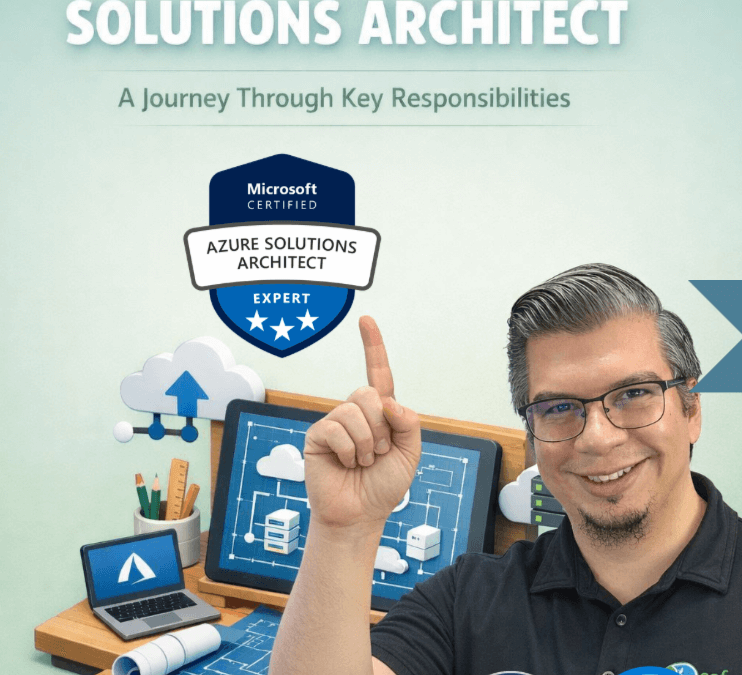
When people hear “Azure Solutions Architect,” they often picture someone picking services and drawing diagrams.
That’s a small slice of the job.
A strong Azure Cloud Solutions Architect is responsible for turning business intent into a system that stays reliable, secure, and financially sane over time. Not just on day one. Not just in the “happy path.” In the real world where requirements shift, people leave, audits happen, and something breaks at 2 a.m.
Below is a deeper walk-through of the same responsibilities from the carousel, with practical examples and templates you can reuse.
1) Strategic Alignment & Design
From business requirements to architecture diagrams
Before you touch a single Azure resource, your job is to create clarity:
-
Outcomes: What does “success” look like? (And for who?)
-
Budget: What can we spend monthly, and what’s the acceptable variance?
-
Timeline: What has to ship now vs later?
-
Compliance: What rules do we must follow (industry, legal, internal)?
The most common architecture failure
Most projects fail because they start with:
“What services should we use?”
Instead, start with:
“What constraints do we have, and what outcomes must be true?”
The architect’s value is in trade-offs. You’re not building “the best” system. You’re building the best system for this business, under these constraints.
Turn requirements into a real architecture plan
A useful architecture plan isn’t a pretty diagram. It’s a set of decisions that answer:
-
How will users authenticate?
-
Where does the data live, and how does it move?
-
What is public vs private network access?
-
What happens when dependencies fail?
-
How will we monitor it, patch it, and support it?
Diagram the right way (so people can actually use it)
Most teams jump straight to a detailed diagram and confuse everyone.
Use a simple “zoom levels” approach:
- Big picture / context: who uses it, what it does, what it connects to
- Identity: users, apps, roles, privileges, trust boundaries
- Network: segmentation, ingress/egress, private endpoints, DNS, routing
- Data flow: sources, sinks, pipelines, encryption, retention
- Failure modes: what breaks, what degrades, what must never happen
- Design for the happy path and failure modes
A mature design answers questions like:
-
What happens if the database is slow?
-
What happens if a region is down?
-
What happens if credentials are compromised?
-
What happens if traffic spikes 10x?
-
What happens if a “safe change” becomes a breaking change?
If a system only works when everything goes right, it’s not a system. It’s a demo.
2) Documentation & Validation
Decision records, PoCs, and collaboration
Architecture that isn’t documented becomes tribal knowledge. Tribal knowledge becomes risk.
This is where a real architect separates from a diagrammer.
ADRs: what we chose, why, trade-offs, risks
Architecture Decision Records (ADRs) are one of the highest ROI habits you can build.
They prevent “why did we do this?” six months later.
A good ADR includes:
-
Decision: what we chose
-
Context: what problem we were solving
-
Options considered: what else we could have done
-
Trade-offs: what we gained and what we gave up
-
Risks + mitigations: what could go wrong and how we’ll handle it
-
Status: proposed / accepted / superseded
If you only do one thing from this article, start writing ADRs.
PoCs: prove the risky parts before production
A proof-of-concept is not “let’s try Azure.”
A PoC is:
“Let’s test the assumptions most likely to hurt us.”
Examples of “risky parts” worth proving early:
-
Identity integration (B2B, Conditional Access, legacy auth constraints)
-
Network constraints (on-prem routing, DNS, private endpoint behavior)
-
Throughput/latency requirements
-
Backup/restore and RPO/RTO reality
-
Third-party vendor limitations
If the risk is real, validate it before you commit your whole project plan to it.
Stay involved during build and sequencing
A lot of architects disappear after the design is approved.
That’s when the system starts drifting.
Your job is to stay involved enough to ensure:
-
the intent is implemented correctly
-
the build sequencing addresses risk early
-
the team doesn’t introduce hidden technical debt under pressure
Reset expectations early when reality hits
This is leadership.
Reality always hits:
-
timelines slip
-
scope creeps
-
a “simple requirement” becomes complex
-
constraints appear late
A great architect surfaces this early, frames the trade-offs, and helps leadership choose deliberately instead of drifting into chaos.
3) Modeling, Optimization & Review
Metrics, recommendations, and compliance
Architecture isn’t a one-time event. It’s a lifecycle.
Cost model: prevent surprise bills
The goal isn’t “make it cheap.”
The goal is make cost predictable and explainable.
A basic cost model includes:
-
baseline monthly spend
-
what drives variable cost (users, storage, requests, egress)
-
budget thresholds and alerts
-
expected growth curve
-
“what if” scenarios (traffic spikes, region failover, larger data retention)
If you can’t explain what drives the bill, you can’t control the bill.
Health model: monitoring, alerts, runbooks
A system is “healthy” when:
-
it detects problems fast
-
it routes alerts to the right people
-
it gives them steps to resolve (runbooks)
-
it recovers safely
Your health model should include:
-
what you measure (availability, latency, errors, saturation)
-
what triggers alerts (and what does not)
-
who owns which alerts
-
runbooks for common failures
-
post-incident learning loop
Optimize as usage and Azure services change
Azure changes. Your usage changes. Your architecture has to evolve.
Optimization is ongoing:
-
rightsizing
-
eliminating waste
-
improving reliability patterns
-
tightening security controls
-
reducing operational overhead
The best teams schedule this. They don’t “get to it someday.”
Support audits, compliance, and confidence reviews
Compliance isn’t just policies and paperwork. It’s proof.
Confidence reviews answer:
-
Are we still meeting business outcomes?
-
Are controls in place and working?
-
Are we accumulating risk?
-
Are we operating within budget?
-
Is our recovery plan real, or imaginary?
4) Trusted Advisor
Guiding organizations through change and growth
This is the part most people don’t realize is architecture.
You are not just an engineer. You’re a trusted advisor who helps the business make high-impact technical decisions with eyes wide open.
Change reviews: feasibility, risk, cost of change
Every major change should go through a simple review:
-
What are we changing?
-
Why now?
-
What’s the blast radius?
-
What’s the rollback plan?
-
What’s the cost to implement and operate?
-
What new risks are we taking on?
This doesn’t need to be bureaucratic. It needs to be consistent.
Make trade-offs visible to stakeholders
Most stakeholders don’t need deep Azure knowledge.
They need clarity like:
-
“We can ship in 4 weeks if we accept higher operational risk.”
-
“We can reduce risk if we invest in automation and monitoring now.”
-
“We can cut cost by 20%, but it reduces performance headroom.”
Hidden trade-offs become surprise failures later.
Visible trade-offs become informed leadership decisions.
Avoid “design cliffs” as scale increases
A design cliff is a choice that feels fine at small scale but becomes painful later.
Examples:
-
single point of failure that turns into a business outage later
-
network design that blocks future integrations
-
identity model that becomes unmanageable at scale
-
lack of governance leading to resource sprawl and cost chaos
A trusted advisor prevents these cliffs by looking ahead and calling them early.
Keep the system supportable at 2 a.m.
This is a brutal filter that works:
If the on-call engineer can’t quickly answer:
-
what changed?
-
what’s broken?
-
how do we contain it?
-
how do we recover safely?
…then the architecture isn’t finished.
You don’t get credit for being clever. You get credit for being supportable.
The “Architect’s Operating System” (Templates You Can Reuse)
Here are simple artifacts that systematize the work and help you “buy back your time” as an architect:
1) Outcome Canvas (1 page)
-
Business goal:
-
User impact:
-
Must-have requirements:
-
Constraints (budget, timeline, compliance):
-
Non-goals:
-
Success metrics:
2) ADR Template (copy/paste)
-
Decision:
-
Context:
-
Options considered:
-
Trade-offs:
-
Risks + mitigations:
-
Status + date:
-
Owner:
3) PoC Plan (fast)
-
Assumption being tested:
-
Success criteria:
-
Timebox:
-
What we learned:
-
Decision after PoC:
4) Cost Model Columns (simple)
-
Service
-
Baseline cost
-
Variable driver
-
Expected growth
-
Alert threshold
-
Owner
5) Change Review Checklist
-
What’s changing and why
-
Risk level
-
Blast radius
-
Rollback plan
-
Operational impact
-
Cost impact
-
Security impact
Closing thought
Azure architecture isn’t “knowing every service.”
It’s the ability to:
-
clarify outcomes and constraints
-
make trade-offs visible
-
validate risk early
-
design for failure
-
keep cost and operations predictable
-
guide change as the business grows
Download my Solutions Architect Checklist Below for a handy tool as you become the best solutions architect you can be.
Solutions Architect Checklist
Download my Cloud Solutions Architect Checklist from the Azure Well-Architected Framework.