
Passkeys are awesome.
But here’s the part that quietly wrecks most “passwordless” rollouts:
If you don’t design account recovery, you didn’t build a system. You built a lockout machine.
And lockouts don’t just “feel annoying.” They create real cost:
- Helpdesk tickets
- Lost work time
- Risky, inconsistent “prove it’s you” calls
- Recovery methods that are still… phishable
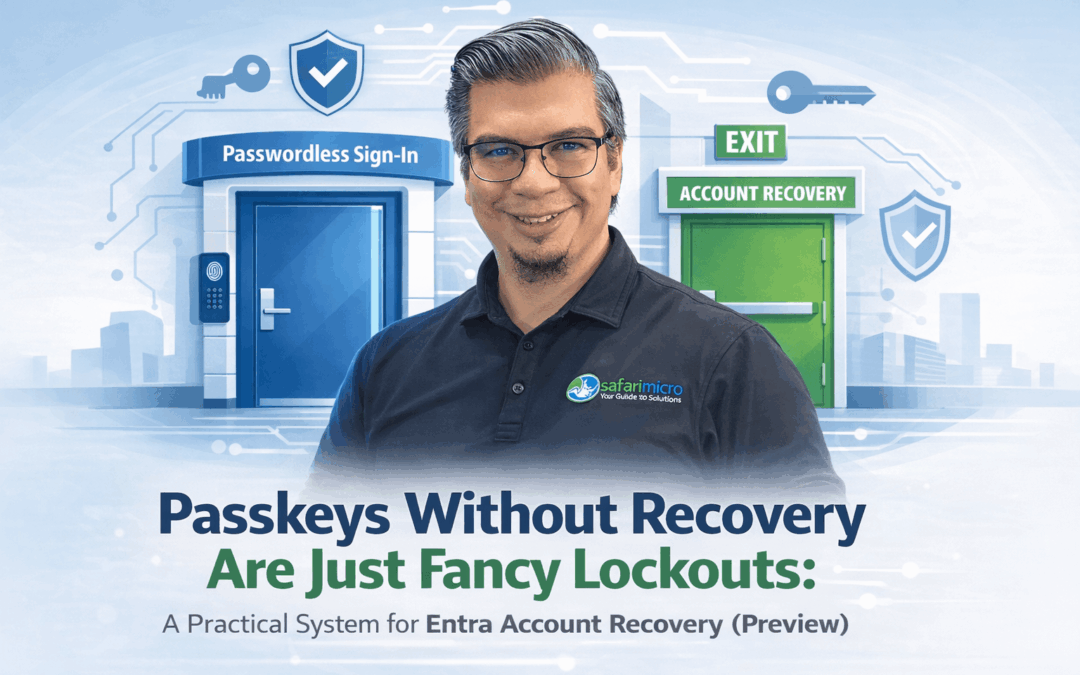
Passwordless is the front door.
Recovery is the fire exit. If you didn’t design it, you’re not secure. You’re just optimistic.

The hidden problem: recovery becomes your biggest identity tax
Most orgs invest heavily in stronger sign-in, but recovery is still one of these:
- SMS codes
- email OTP
- security questions
- “call the helpdesk and we’ll figure it out”
That’s not an identity strategy.
That’s a pile of manual exceptions.
And it’s classic $10/hr work that blocks $10K/hr progress.
If your team is spending time “unlocking people” because a phone got replaced, you’re not short on effort. You’re short on a recovery model.

What Microsoft is previewing: Entra Account Recovery
Microsoft Entra ID Account Recovery (Preview) is aimed at the exact scenario passwordless creates:
A user can’t sign in because they’ve lost access to all authentication methods.
This matters because modern auth is supposed to reduce reliance on phishable recovery channels.
Microsoft’s direction is clear: move toward phishing-resistant methods like passkeys (FIDO2).
But the real world still has:
- lost devices
- broken devices
- people switching phones
- people traveling
- new hires with messy identity data
So recovery has to be strong and operational.
The mental model: ID proofing → bootstrap → re-enroll
Here’s the high-level recovery flow Microsoft outlines (preview):

- The user starts the recovery process

They verify identity through an approved Identity Verification Provider (via Microsoft Security Store)


They receive a Verified ID (stored in Microsoft Authenticator) and complete Face Check proof-of-presence


If verification succeeds, Entra issues a Temporary Access Pass (TAP)
The user uses TAP to re-enroll strong authentication (like passkeys)
The key idea isn’t “cool new feature.”
The key idea is: Recovery becomes a controlled workflow, not an improvisation.
Why this is different than “just reset their MFA”
A lot of “recovery” in the wild is basically:
- someone calls in
- someone asks a few questions
- someone toggles something
- user gets back in
That’s inconsistent by nature, and it’s hard to scale.
This preview is Microsoft saying:
- identity verification should be structured
- recovery should be auditable
- recovery should help you re-establish strong auth - not downgrade it
Passkeys reality check: device-bound vs synced (and why you should care)

Microsoft distinguishes between: Device-Bound vs Synced
- Device-bound passkeys (private key stays on one device), like Microsoft Authenticator / FIDO2 keys
- Synced passkeys (synced within an ecosystem), like iCloud Keychain / Google Password Manager
Microsoft Authenticator supports passkeys and can create device-bound passkeys backed by platform security hardware where available.
Operationally:
- Device-bound passkeys are strong.
- But device loss becomes a bigger event.
- And if your recovery path is weak, you just moved the attack surface from “password” to “recovery.”
The rollout mistake I see most: passwordless without recovery readiness
Here’s the common sequence:
✅ Roll out stronger sign-in
✅ Push adoption
✅ Celebrate fewer password issues
❌ Ignore recovery until the first wave of lockouts
❌ Helpdesk absorbs the blast radius
❌ Security exceptions multiply
Identity work is never just “enable feature.”
Identity is systems engineering.
Passwordless + recovery has to be designed together.
How I’d pilot this (simple, controlled, low drama)
This is preview. Treat it like preview.

Step 1: Start in Evaluation mode
Microsoft provides Evaluation mode so you can test the identity verification experience without actually enabling recovery.

This is how you learn:
- what users experience
- where they get stuck
- what your data quality issues are
…without breaking anything.
Step 2: Fix identity data quality first
This preview is strict.
Matching relies on First name + Last name (not Display Name). If that doesn’t align with the user’s government ID, recovery can fail.

So before you pilot:
- Confirm your users’ first/last name attributes are accurate
- Decide how you’ll handle common variations (middle initials, suffixes, hyphenated last names)
If you skip this, you’ll blame the tool for a data hygiene problem.
Step 3: Plan for “same-name” collisions
In preview, same-name collisions can block recovery attempts.
So your pilot group shouldn’t be:
- 40 people named “John Smith”
- contractors with placeholder names
- shared accounts (which you shouldn’t have anyway)
Step 4: Confirm licensing early (don’t surprise finance later)
Plan for:
- Microsoft Entra ID P1 for users
- Face Check licensing (Entra Suite or Standalone)
- plus the IDV provider offer costs (via Microsoft Security Store)
Important: don’t quote per-verification pricing unless your specific offer shows it. Keep cost conversations grounded in what your tenant is actually subscribed to.
Step 5: Make TAP policy intentional
Temporary Access Pass is a controlled bootstrap method. It’s time-limited and configurable via policy.
Treat it like a security primitive, not a convenience feature.
Preview gotchas (the stuff that will bite you if you don’t know it)
- Evaluation vs Production: Evaluation is for testing the flow. Production enables real recovery.
- Actively used accounts: Recovery is intended for actively used accounts and depends on prior authentication signals.
- Identity attributes matter: First/Last name matching is strict in preview.
- Provider roster can change: Providers are approved offers in Microsoft Security Store; avoid hardcoding assumptions.
- Recovery hygiene: Don’t assume recovery automatically cleans up everything. Build a post-recovery step (review sign-in activity, revoke sessions if needed, verify methods).
A decision rule you can use today
If you’re rolling out passkeys (or planning to):
Your recovery path must be at least as strong as your sign-in path.
Otherwise you’ll “upgrade security” and accidentally upgrade lockouts.
If you only remember one thing…
Passwordless is not a feature. It’s an operating model. And every operating model needs a safe, repeatable recovery workflow.
Microsoft Entra Account Recovery (Preview) is one of the first real “recovery by design” steps aimed at passwordless reality: ID proofing → TAP bootstrap → re-enroll strong auth.
Question for you
If you’re rolling out passkeys (or even just thinking about it):
What’s your recovery strategy today when someone loses their device?
- Helpdesk call?
- SMS/email fallback?
- In-person verification?
- Something else?
Drop it in the comments. I’m curious what’s working (and what’s painful).
Sources (Microsoft)
Sources accessed on: January 19, 2026.
Microsoft Entra ID account recovery overview (Preview) https://learn.microsoft.com/en-us/entra/identity/authentication/concept-account-recovery
Enable and test account recovery (Preview) https://learn.microsoft.com/en-us/entra/identity/authentication/how-to-account-recovery-enable
End-user account recovery in Microsoft Entra ID https://learn.microsoft.com/en-us/entra/identity/authentication/how-to-account-recovery-users
FAQ: Microsoft Entra ID account recovery https://learn.microsoft.com/en-us/entra/identity/authentication/self-service-account-recovery
Temporary Access Pass authentication method https://learn.microsoft.com/en-us/entra/identity/authentication/howto-authentication-temporary-access-pass
Passkeys (FIDO2) in Microsoft Entra authentication methods https://learn.microsoft.com/en-us/entra/identity/authentication/concept-authentication-passkeys-fido2
Microsoft Authenticator app authentication method https://learn.microsoft.com/en-us/entra/identity/authentication/concept-authentication-authenticator-app
Microsoft Entra pricing (licensing reference) https://www.microsoft.com/en-us/security/business/microsoft-entra-pricing